
Blog
How to Set Up a Salon Online Booking System

Every evening your phone lights up with messages: “Do you have anything Saturday?” “Can I move my colour to next week?” By the time you reply, some of those clients have booked somewhere that let them pick a time on the spot. A salon online booking system fixes that. Clients see real free times, choose a service and a stylist, and book at 11 p.m. without anyone answering the phone.
For a salon owner, it’s also the cheapest way to improve the client experience. This guide explains what good salon software needs to do for appointment booking, the three ways to get one, and how to set it up step by step so it doesn’t create more work than it saves.
Key takeaways
- A salon online booking system should show only times that are really free, for the right stylist and the right length of service.
- You can use a marketplace app, a monthly subscription tool, or booking software on your own website. Each has a different cost and level of control.
- Set it up in this order: services and durations, staff hours, booking rules, payments, then reminders. Test it with a real booking before you share the link.
In this guide
What a salon online booking system should do
A booking button on a website isn’t enough. Appointment scheduling for a salon is harder than for most businesses, because every service has a different length and every team member has different skills and hours. If clients can pick times your stylists aren’t free, you’ve just moved the phone tag to e-mail. A system worth using does these things:
| Feature | Why it matters in a salon |
|---|---|
| Service durations and buffers | A cut takes 45 minutes, a colour two and a half hours. The system must block the right amount of time, plus clean-up. |
| Per-stylist hours, breaks and time off | Clients only see times when that stylist is actually working. |
| “Any available” stylist | Many clients don’t mind who does a blow-dry; let them take the earliest free slot. |
| No double bookings | Two clients must never land in the same slot, even if they book at the same second or one books at the front desk. |
| Deposits on chosen services | Protects long or expensive appointments from no-shows. |
| Cancellation deadline | Clients can move or cancel themselves until a cut-off you set. |
| Reminders | An e-mail or text before the visit cuts forgotten appointments. |
| Works on a phone | Most clients will book from their phone. |
Three ways to get online booking
1. Marketplace apps. Your salon is listed in a directory where clients search and book. Good for being found, but you’re one listing among your competitors, the client relationship sits with the app, and some charge fees or commissions on clients they bring. Read the terms carefully.
2. Subscription booking tools. You pay monthly for scheduling software with a hosted booking page and a calendar. Quick to start; the cost continues for as long as you use it, prices tend to rise with the number of staff, and your booking page usually carries the tool’s branding.
3. Booking software on your own website. Clients book on your salon’s own site and app, under your name. You either host it yourself or pay someone to host it for you. More set-up at the start; lower cost over time and full control of your brand and client data.
There’s no single right answer. A new chair-rental stylist might be fine with a free marketplace listing. A salon with five stylists and a loyal client list usually wants bookings on its own website, where clients see your brand, not a list of salons down the road. We compared the general trade-offs in our self-hosted vs SaaS guide.
How to set up online booking for your salon, step by step
Step 1: List your services with real durations
Write down each service the way a client would choose it: “Women’s cut & finish”, “Root colour”, “Balayage”. For each one, add the time it takes in your chair, any processing time, and the clean-up buffer after it. Be honest; if a balayage regularly runs over, book it as three hours, not two and a half.
Group them into categories (cuts & styling, colour, treatments) so the list stays readable on a phone.
Step 2: Add your team and their hours
Add each stylist on your team with the services they do, their working hours, regular breaks and any days off. A junior who doesn’t do colour shouldn’t be offered for it. This is the step that makes “only real free times” possible.
Step 3: Decide your booking rules
Settle these before clients see anything:
- How far ahead clients can book, and the latest they can book on the same day.
- Your cancellation and reschedule deadline (for example, free changes up to 24 hours before).
- Which services need a deposit, and how much.
- Whether you offer appointments at the client’s home, and in which areas.
Write the rules in plain words; you’ll show them on the booking page and in the confirmation.
Step 4: Connect payments
If you take deposits or online payment, connect a payment provider that accepts your currency. Use your own account, so clients’ money goes straight to you, and test a small payment before going live.
Step 5: Turn on confirmations and reminders
Automate the messages so nobody has to remember them. Every booking should send a confirmation with the date, time, stylist, price, deposit and cancellation deadline, plus a reminder before the visit. Reminders are the single cheapest way to cut no-shows; we cover the rest in our guide to a salon no-show policy.
Step 6: Put the booking link everywhere
Clients can only book appointments if they can find the button. Add a clear “Book now” button to your website’s header, your Google Business Profile, your Instagram bio and your e-mail signature. If you have a salon app, put booking on its home screen.
Step 7: Test it like a client
Book a real appointment on your own phone. Check the times offered, the price, the deposit, the confirmation e-mail and the reminder. Then cancel it and check that the slot opens again. Ten minutes of testing saves weeks of awkward mix-ups.
Common mistakes to avoid
- Durations that are too short. The calendar fills perfectly on screen and runs 40 minutes late by lunch.
- Offering every stylist for every service. Clients book the wrong person and you spend the morning moving appointments.
- Hiding the cancellation policy. If clients only learn about a deposit rule after missing an appointment, expect an argument.
- Two calendars. If the front desk keeps a paper diary next to the online system, double bookings are only a matter of time. Use one calendar for every channel.
The easier way: Salon Booking OS
Salon Booking OS is our salon booking software for hair and beauty salons. It gives your salon its own branded website with online booking and one staff calendar for everything:
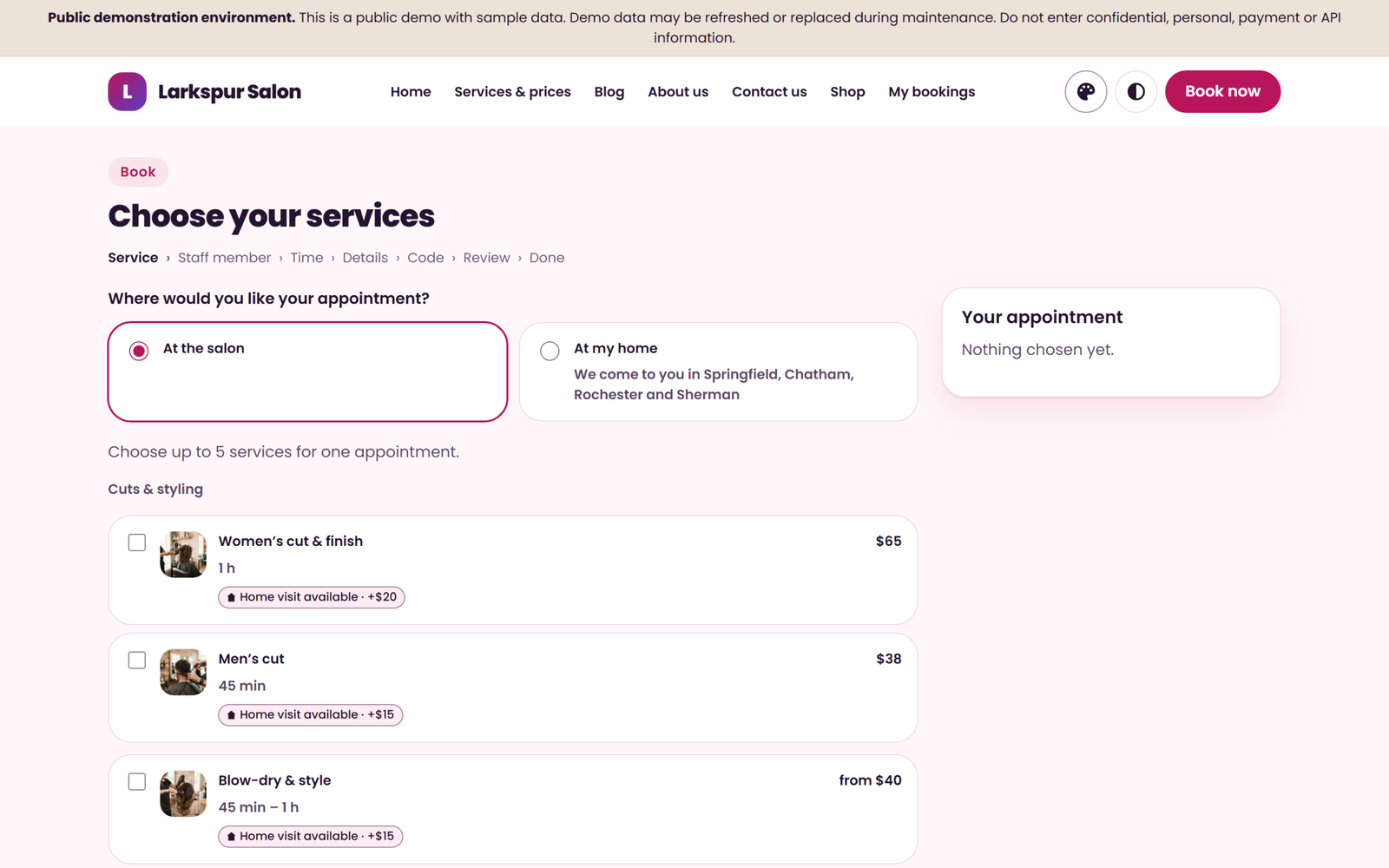
- Clients choose services, a stylist (or “any available”) and a free time, at the salon or, where you offer it, at home.
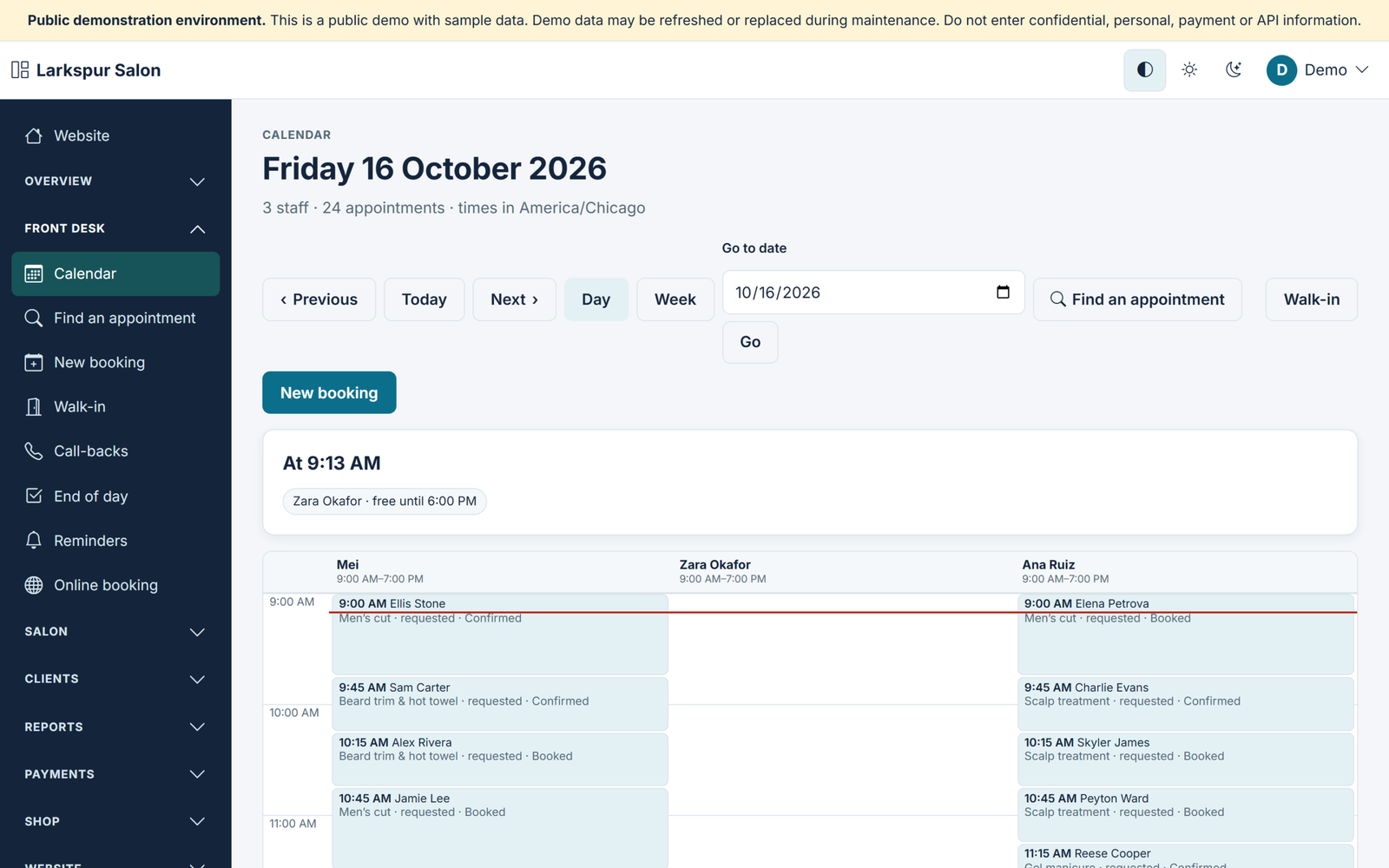
- A staff member is never double-booked, whether the booking comes from your website, the booking widget, the app, the front desk or the API.
- Deposits on the services you choose, collected through PayPal, Stripe or Razorpay on your own accounts; the balance is paid at the salon.
- E-mail reminders, a cancellation deadline on every confirmation, and a shop for your salon’s own products.
- Three website themes (Linen, Onyx and Bloom), each in Light and Dark, plus the Flutter source of your own customer app.
The documentation walks through each setting, from booking rules to deposits: see how to set up online booking in Salon Booking OS.
OsDot™ · Own the OS. Run Your Business.
Salon Booking OS
- Online booking on your own salon website and app
- One staff calendar that never double-books
- Buy & Own from $67 one-time with the full source, or a Hosted Plan from $12 a month
FAQ
What is a salon online booking system?
It’s software that lets clients book salon appointments themselves, online, by choosing a service, a stylist and a free time. A good one only offers times that are really available and sends confirmations and reminders automatically.
How much does salon booking software cost?
It varies by model. Subscription tools charge every month, often more as you add staff, while some software is sold once and you pay only for hosting. Marketplace listings may be free to join but can charge fees or commissions on clients they bring.
Can I add online booking to my existing salon website?
Usually, yes, with a booking widget or a link from a “Book now” button. Check that the booking page matches your branding and works well on a phone.
Should I take deposits for online bookings?
For long or expensive services, a deposit is one of the best protections against no-shows. Keep it reasonable, show it clearly before the client books, and say when it’s refunded.
Do clients actually book online?
Many prefer it, because they can book at any hour without calling. Keep phone and walk-in bookings too, but put them in the same calendar so nothing clashes.
Where to start
Start with Step 1 today: write your service list with honest durations and buffers. It’s the foundation of every booking system, and it’s the step that decides whether your calendar runs on time. Then choose the kind of system that fits how you want to run your salon, and test it with a real booking before you share the link.
For more guides like this, join the OsDot newsletter.