

Demo Data (Mode B)
1 min read
When you install Academy & Exam OS in Mode B — Install with demo data, the installer adds a synthetic evaluation dataset so that you can explore the product on your own server before entering real content. Everything in it is generated; nothing comes from a real institute.
Note: This is about demo data in your own installation. The public demo on the OsDot website is a separate, restricted demonstration site.
What Mode B creates #
- two exam streams with a syllabus of six subjects and 21 chapters;
- a question bank of 60 scored questions and 2 passages (single and multiple choice, numerical and written), with formula and chemistry notation;
- a published Mock Test (three sections, one drawing 10 of 12 pool questions, 60 minutes, +4 / −1) and a written practice test with manual marking;
- a graded demo attempt with a released result;
- a guided course with two generated PDF resources, a demo package with a demonstration offline payment, notices and homepage content;
- four sample legal drafts (never published, marked as samples);
- three demo accounts.
| Account | Role |
|---|---|
demo-admin@demo.example | Administrator |
demo-teacher@demo.example | Teacher |
demo-student@demo.example | Student |
Their passwords are generated for your installation and shown once, on the installer’s Success page. They are never stored in clear text. If you lose them, regenerate them (below) or remove the demo data. The owner account you created in the installer is the only real account.
While demo data is installed, the staff area shows a reminder.
Remove the demo data #
Remove the demo data before real students use the site.
- Sign in as the owner or an administrator.
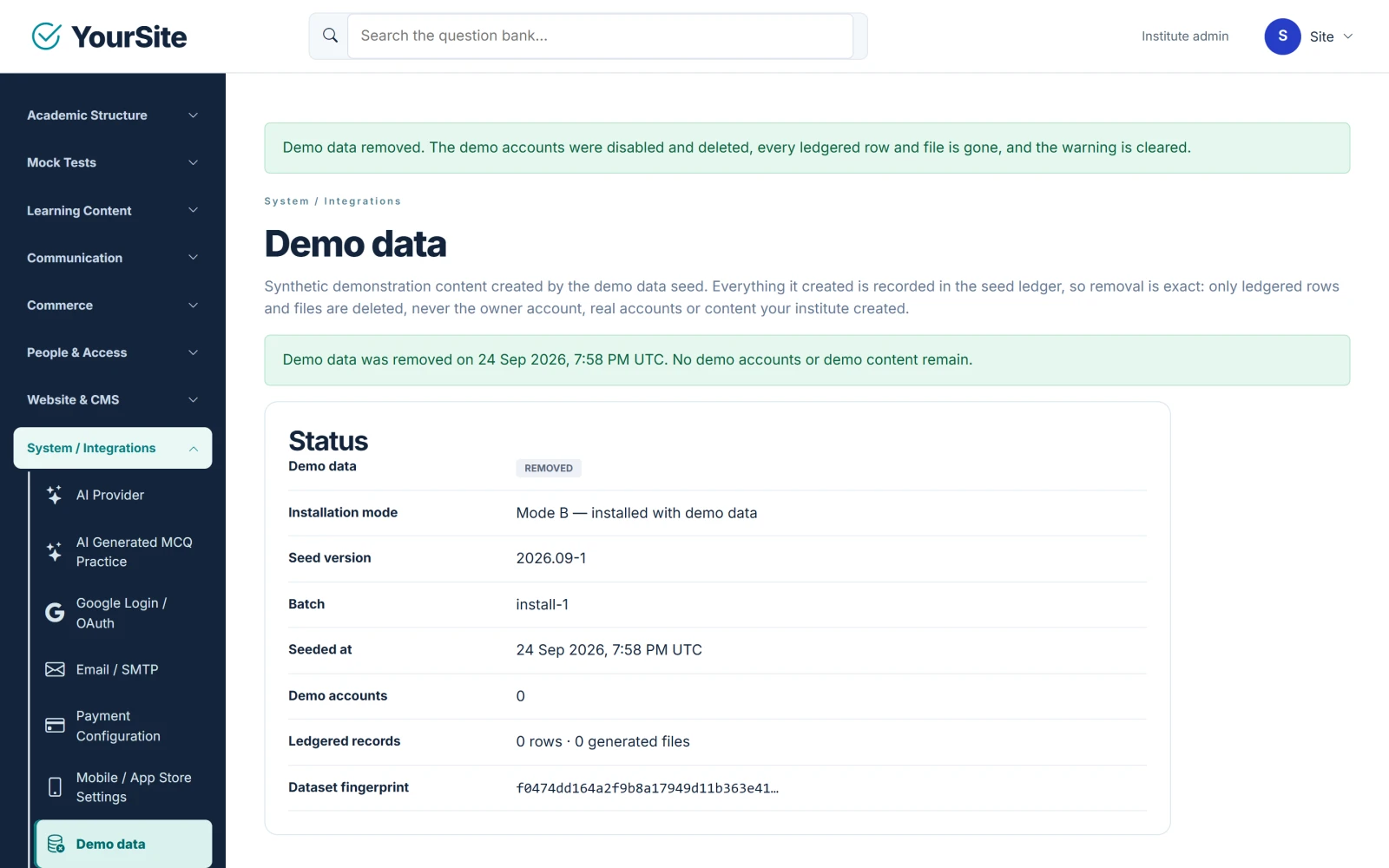
- Open System / Integrations → Demo data (
/staff/system/demo-data). The page shows what the dataset created, the demo accounts and a dependency check. - Tick the confirmation box and click Remove demo data.
- If real (non-demo) users have already worked with demo content (attempts, progress or access grants), the page says so and asks you to type
REMOVE DEMO DATAto include that activity.
Expected result: exactly the records and files the dataset created are deleted in one step. The demo accounts are disabled and signed out first, and the removal is recorded in the audit log. Real accounts and real content are never deleted.
Regenerate the demo passwords #
On the same page, click Regenerate demo passwords. New passwords for the three demo accounts are shown once.
Console commands #
Owners with shell access can run the same actions from the Web/ folder:
php bin/cake.php demo status
php bin/cake.php demo remove --yes
php bin/cake.php demo remove --yes --include-dependent-activity
php bin/cake.php demo reset-credentials --yes
php bin/cake.php demo seed --yes
demo seed re-creates the dataset on an installed site after a removal, with new passwords printed once by the console.


