

Staff Area Overview
3 min read
The staff area is where owners, administrators and teachers run the institute. Sign in and open the staff area; the menu on the left is grouped by task. Each person sees only the pages their role allows.
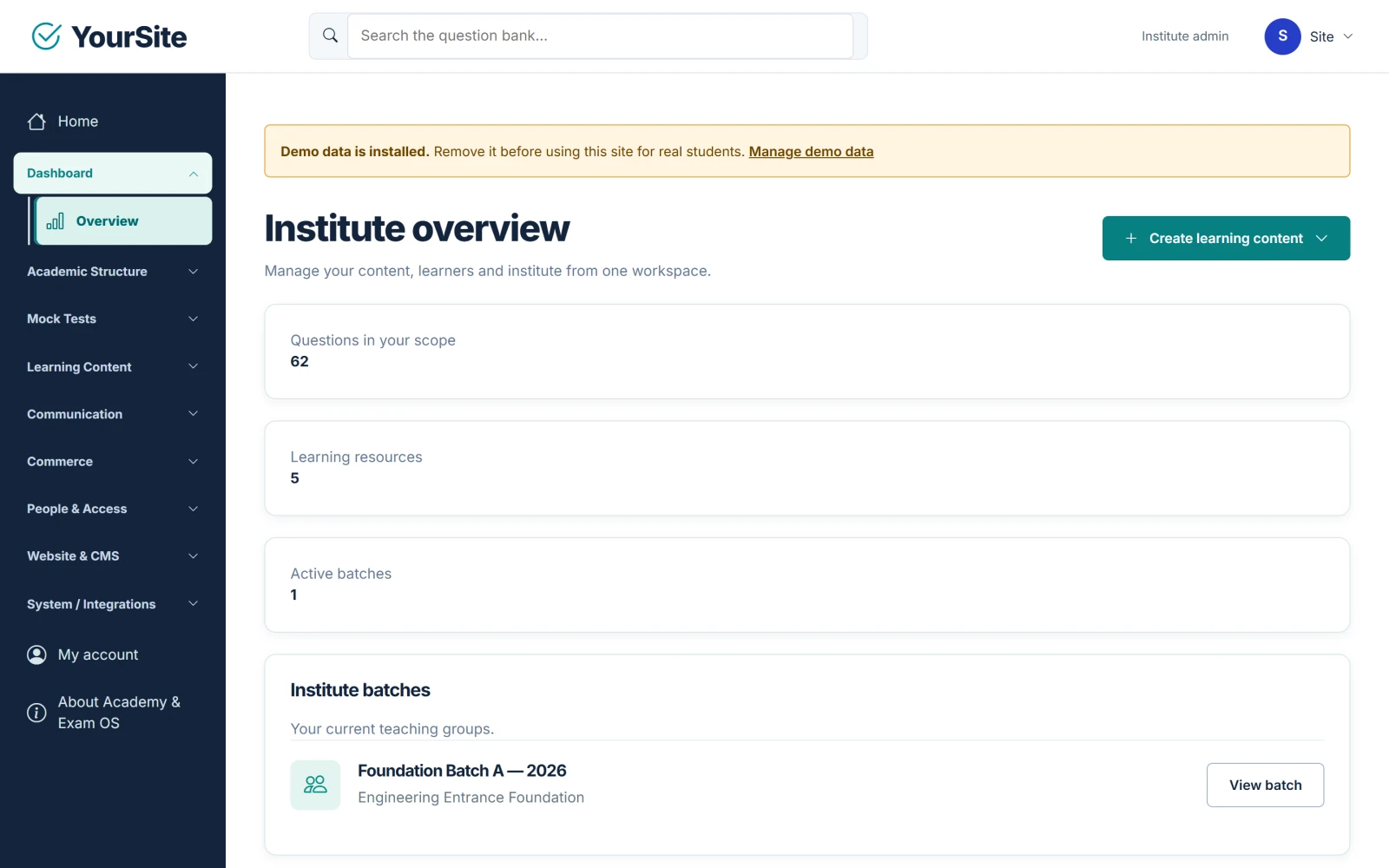
The Overview page #
Dashboard → Overview (/staff) is titled Institute overview for owners and administrators and Your teaching workspace for teachers.
- Owners and administrators see Questions in your scope, Learning resources and Active batches.
- Everyone sees their batches with View batch, and Content awaiting review (items in Draft or Ready for review).
- Create learning content starts a Mock Test, PDF material, video lesson or course.
The menu also links to My account and About Academy & Exam OS (the About-this-software page with the product version and the facts of this installation).
Menu map #
“Owner / admin” means the page is visible to the institute owner and administrators only. “Teachers” means teachers see it with the default permissions.
| Menu group | Page | Who sees it | Guide |
|---|---|---|---|
| Academic Structure | Syllabus & Subjects, Exam Streams | Owner / admin | Users, Roles, Batches & Access |
| Academic Structure | Batches & Enrollment, Timetable, Attendance | Owner / admin, teachers (own batches) | Users, Roles, Batches & Access |
| Mock Tests | Mock Tests, Question Bank, Import / Export, Evaluations, Learning Reports | Owner / admin, teachers | Question Bank, Mock Tests, Attempts & Results |
| Mock Tests | AI Question Drafts | Owner / admin | AI Provider & AI-Generated MCQ Practice |
| Mock Tests | Mock Test Settings | Owner / admin | Mock Tests |
| Learning Content | PDF Materials, Video Lessons, Courses, Media Library, Assignments, Assignment Reviews | Owner / admin, teachers | Courses, Lessons, Videos & PDFs |
| Learning Content | Certificates | Owner / admin | Courses, Lessons, Videos & PDFs |
| Learning Content | Notices | Owner / admin | Communication Hub |
| Communication | Communication Hub | Owner / admin | Communication Hub |
| Commerce | Sales Packages, Coupons, Access Grants, Orders & Payments, Offline Payments | Owner / admin | Payments & Orders |
| People & Access | People & Permissions | Owner / admin | Users, Roles, Batches & Access |
| Website & CMS | Website & Blog, About Us, Contact Page, Business Profile, Contact Messages, Homepage Slides, Homepage Sections, Featured Content, Pages, Legal Pages, FAQ, Navigation, Branding & Website Settings | Owner / admin | Website & CMS |
| System / Integrations | AI Provider, AI Generated MCQ Practice | Owner / admin | AI Provider & AI-Generated MCQ Practice |
| System / Integrations | Google Login / OAuth | Owner / admin | Users, Roles, Batches & Access |
| System / Integrations | Email / SMTP | Owner / admin | E-mail & SMTP Settings |
| System / Integrations | Payment Configuration | Owner / admin | Payments & Orders |
| System / Integrations | Mobile / App Store Settings | Owner / admin | Website & CMS |
| System / Integrations | Demo data | Owner / admin | Demo Data (Mode B) |
| System / Integrations | Audit / Logs | Owner / admin | See below |
| System / Integrations | Software license (Single Site and Multi Site only) | Owner / admin | Licence Activation & Deactivation |
Learning Reports #
Mock Tests → Learning Reports lists the latest 100 Mock Test attempts with the test, student, status and final marks. Teachers see only students in their own batches. Owners and administrators also see the recent audit trail.
Audit / Logs #
System / Integrations → Audit / Logs shows the last 100 audited staff actions, for example account support actions and Communication Hub dispatches.
Related documents #
Watch the Video Tutorial #
The “The staff area” part of Academy & Exam OS Video Tutorial 03: Institute, Users, Roles & Batches shows this (watch from 0:20 on YouTube). All Academy & Exam OS video tutorials.


